
Nano Banana Pro 2 (Gemini 3.1) on FluxoKit
Run Nano Banana Pro 2, Google AI's Gemini 3.1 image model, alongside 90+ other AIs on FluxoKit. Pay per generation, no separate Google account.
Create hero shots, ad creative, and covers in seconds with one of the most photorealistic image models from Google AI. No developer account, no English-only prompts, no agency budget.
Why Run Nano Banana on FluxoKit
Nano Banana Pro 2 is state-of-the-art image generation from Google AI, running on Gemini 3.1. Reaching it directly on Google's platform means a developer account, separate billing, and technical prompts. On FluxoKit you open the canvas, describe the scene in plain language, and the Prompt Enhancer tunes it for the engine automatically.
Better still, you get Nano Banana alongside 90+ other models in the same plan, so you never subscribe to seven platforms to cover one workflow.
How to Use
- Open the studio at
/workflow. - Select Nano Banana Pro 2 in the image panel.
- Describe the scene. It can be direct ("product photo of a white sneaker on a dark background") or referenced (upload an inspiration image).
- Adjust aspect ratio, style, and iteration.
- Generate. In seconds you get variations ready for an ad, a course cover, or an organic creative.
Where Nano Banana Wins
- Product and hero shots. Clean ecommerce imagery and ad creative without a photo studio.
- Course and content covers. Eye-catching thumbnails and covers in seconds.
- Concept and mockup. Fast visual exploration before committing to a shoot.
- Variations at volume. Many angles of one idea for A/B testing on paid social.
Where Nano Banana Fits
Nano Banana Pro 2 is the generalist photorealist. It handles broad scenes, products, and covers with strong prompt fidelity, where Higgsfield specializes in human portraits, GPT Image is the one to reach for when the image needs legible text, Flux 2 leans editorial and illustrated, and Seedream carries a native creator look. On FluxoKit all of them open in the same panel, so you can run one brief across several engines and keep the best frame.
Pick Nano Banana first when you want a clean, photoreal result fast and at a low cost per image.
What to Put in a Nano Banana Prompt
Gemini 3.1 follows detail well, so specifics pay off:
- Subject. The product, person, or object and its state.
- Setting. Background, surface, and context around the subject.
- Lighting. Soft daylight, studio strobe, golden hour, or hard shadow.
- Camera. A lens reference like 50mm or 85mm shifts the whole look.
- Aspect ratio. 1:1 for feed, 9:16 for Stories, 16:9 for a cover.
Describe it in plain language. The Prompt Enhancer tunes it for the engine before generation, so you do not have to write in technical English.
Edit Without Starting Over
Beyond generating from scratch, FluxoKit exposes Nano Banana Pro 2 Edit (Gemini 3.1) to change one part of an image while keeping the rest intact. Swap a background, fix a detail, or restyle a section without regenerating the whole frame. That keeps a winning composition and iterates only what needs to change.
Connect It With
A generated image is usually the first step. Pair Nano Banana with the AI Image Generator hub, refine in the AI Photo Editor, or carry the result into the AI Art Generator. When the shot is ready, animate it with Hailuo AI or Seedance for a moving version.
Pricing
Cents per image inside your FluxoKit plan. No per-model monthly fee, no card charged separately. You pay per generation and keep every other model in the same account.
Examples
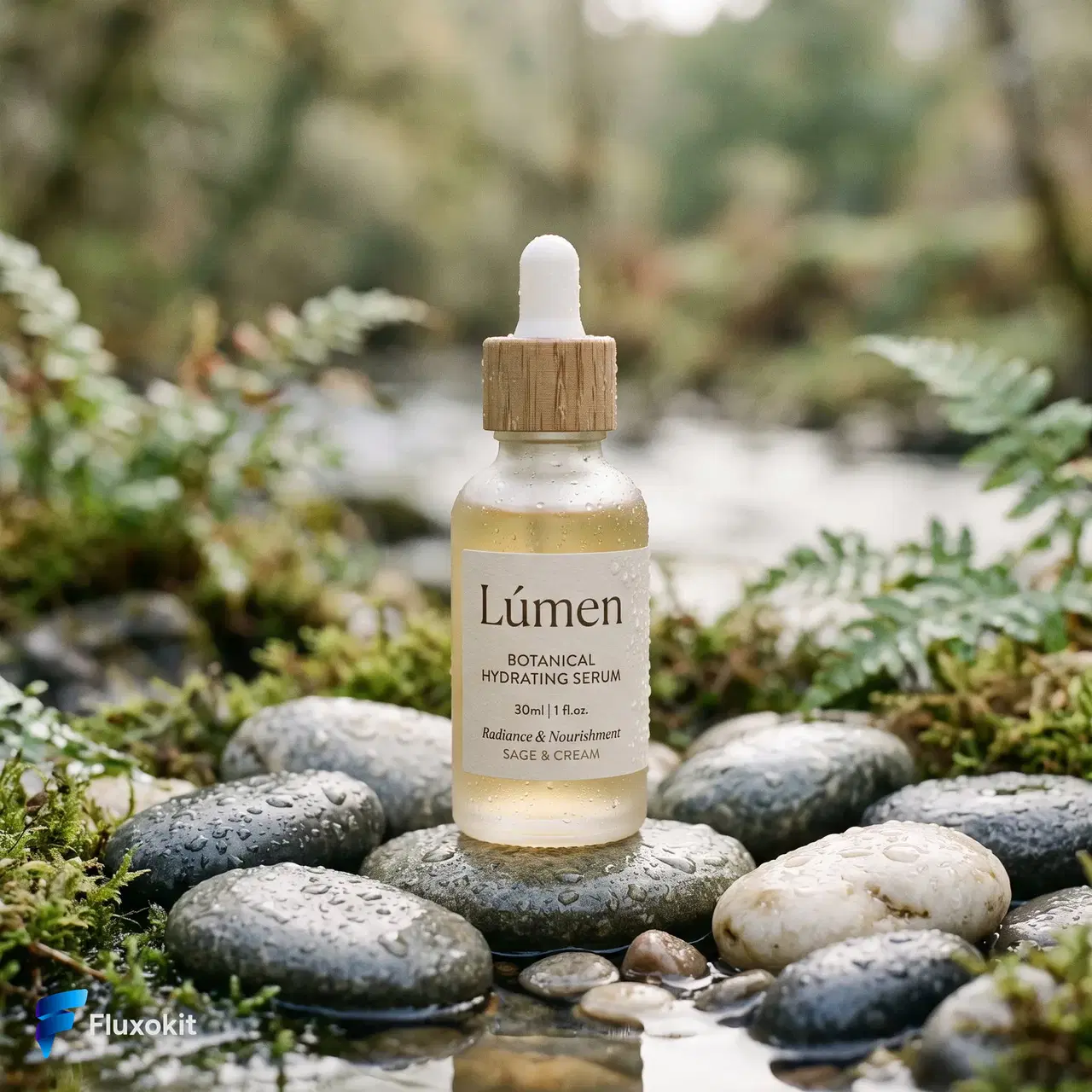
Real generations with Nano Banana Pro 2 (Gemini 3.1)
Limits
Max batch size
1
Credits per generation
12
Parameters and inputs
Each field below shows what the model accepts and the limits to apply.
Parameters
Image Size
imageSize
- Required
- No
- Default
- 2K
Options
- 512px (512px)
- 1 K (1K)
- 2 K (2K)
- 4 K (4K)
Aspect Ratio
aspectRatio
- Required
- No
- Default
- 1:1
Options
- 1:1 (1:1)
- 2:3 (2:3)
- 3:2 (3:2)
- 3:4 (3:4)
- 4:3 (4:3)
- 4:5 (4:5)
- 5:4 (5:4)
- 9:16 (9:16)
- 16:9 (16:9)
- 21:9 (21:9)
- 1:4 (1:4)
- 4:1 (4:1)
- 1:8 (1:8)
- 8:1 (8:1)
Frequently asked questions
What is Nano Banana?
Nano Banana is the working name for Google AI's image generation model built on Gemini 3.0 and 3.1. It is known for photorealistic quality, strong prompt fidelity, and a low cost per image.
How much does Nano Banana cost on FluxoKit?
You pay cents per image inside your FluxoKit plan, with no separate charge. You do not need to open a developer account with Google to reach the model.
Does Nano Banana follow detailed prompts?
Yes. Gemini 3.1 handles detailed prompts well, and FluxoKit optimizes the prompt for the engine automatically before generating, so you do not have to rewrite it in technical English.
Can I edit existing images with Nano Banana?
Yes. Beyond generating from scratch, FluxoKit offers Nano Banana Pro 2 Edit (Gemini 3.1) to change specific parts of an image while keeping the rest intact.
Next step
Use Nano Banana Pro 2 (Gemini 3.1) without signing up for Google AI.
90+ AIs in one studio. Live USD checkout is processed through Stripe, with no API key to manage.
Related content
Category
AI Art Generator: Illustration, Style, Design | FluxoKit
Category
AI Avatar Generator: Profile, Brand, Streaming | FluxoKit
Category
AI Brand Creative Generator for Consistent Assets | FluxoKit
Category
AI Carousel Generator for Instagram and LinkedIn | FluxoKit
Category
AI Display Ad Generator for Banner Variants | FluxoKit
Category
AI Headshot Generator: Studio Portraits on One Canvas | FluxoKit